Skip to content

OSRS Keyboards Pre-Order OSRS Keyboards!

To celebrate RuneScape's 25th anniversary, we're launching PRE-SALES on custom collaboration keyboards!

Gloomy Bear PC Bundle

Bundle includes: PC, Wall Art & Desk Mat Learn More
$2,399.99

Key specs & FPS

Preview

MSI 27" 1440p 360Hz OLED

$749.99
Preview

Seeing Red

$49.99
Bear Stare || card
Preview

Stare Bear

$49.99
Preview

Glare Bear

$49.99
Blackout || card
Preview

Blackout

$49.99
Up to 11 || card
Preview

Up to 11

$49.99
Preview

Stare Bear

$59.99
Preview

Glare Bear

$59.99
Preview

Umai

$59.99
Preview

Black Out

$59.99
Preview

Nightmare Bear

$59.99
Preview

BFFs

$59.99
Preview

The Red Gate

$39.99
Preview

Keep the Honor

$39.99
Preview

Fuji Castle

$39.99
Preview

Low Night

$39.99
Preview

Shibuya

$39.99
Preview

Cat Girl

$39.99
Preview

Black Shura

$39.99
Preview

Akina

$39.99
Preview

Cyber

$39.99
Preview

Eden

$39.99
Preview

Petals

$39.99
Preview

Jelly Dream

$39.99
Preview

Combust

$39.99
Preview

Sky on Fire

$39.99
Preview

Pink Sunrise

$39.99
Preview

Neon Night

$39.99
Preview

Neon Castle

$39.99
Preview

Dreaming of Osaka

$39.99
Preview

1G

$39.99
Preview

Home Stretch

$39.99
Preview

Neck and Neck

$39.99
Preview

Pit Stop

$39.99
Preview

Tune Up

$39.99
Preview

ASUS ROG Harpe Ace Aim Lab Edition

$99.99
Preview

ASUS ROG Strix Scope II 96 Wireless

$179.99
Preview

ASUS ROG Azoth - NX Snow Switches

$274.99
The Strix Impact III Wireless gaming mouse || card
Preview

ASUS ROG Strix Impact III Wireless

$74.99
Subtotal
$2,399.99

Performance

Frames Per Second (FPS)

FPS data is gathered with frame gen enabled and ray tracing disabled where applicable.

Black Myth: Wukong

BM: Wukong

86

AVG FPS

Black Ops 6

209

AVG FPS

F1: 2024

283

AVG FPS

Black Myth: Wukong

BM: Wukong

67

AVG FPS

Black Ops 6

151

AVG FPS

F1: 2024

221

AVG FPS

Black Myth: Wukong

BM: Wukong

46

AVG FPS

Black Ops 6

89

AVG FPS

F1: 2024

131

AVG FPS

Product Overview

All the power of a bear punch in a tiny, pomegranate sized case. Featuring Mori Chack's iconic character Gloomy, the Naughty Grizzly, this system from Starforge features high quality printed panels on a SFF case, powerful internal components and performance destined to leave gamers hungry for more. It might be adorable, but it's also deadly. 

PC diagram with components labeled

Tech Specs

  1. AMD Ryzen 5 7600X
  2. Phanteks Glacier One 240mm Gen2 Liquid Cooler
  3. Teamgroup T-Create 32GB DDR5 6000 CL30 (2x16GB)
  4. MSI MPG B650I Edge WIFI
  5. GeForce RTX™ 5070 12GB
  6. 1TB PCIe 4.0 NVME (min. 3,500 read)
  7. Corsair SF750
  8. Custom UV Printed Lian Li A4-H20 X4 (Black)
  9. Windows 11 Home
We use ARCTIC MX thermal paste as standard to ensure optimal and long-lasting cooling performance. Arctic MX logo

What's Included

BFFs || card

Collectible and swappable, our acrylic wall art panels are high quality with excellent detail and finish. Complete the set or mix and match various themes and from your favorite IPs. 
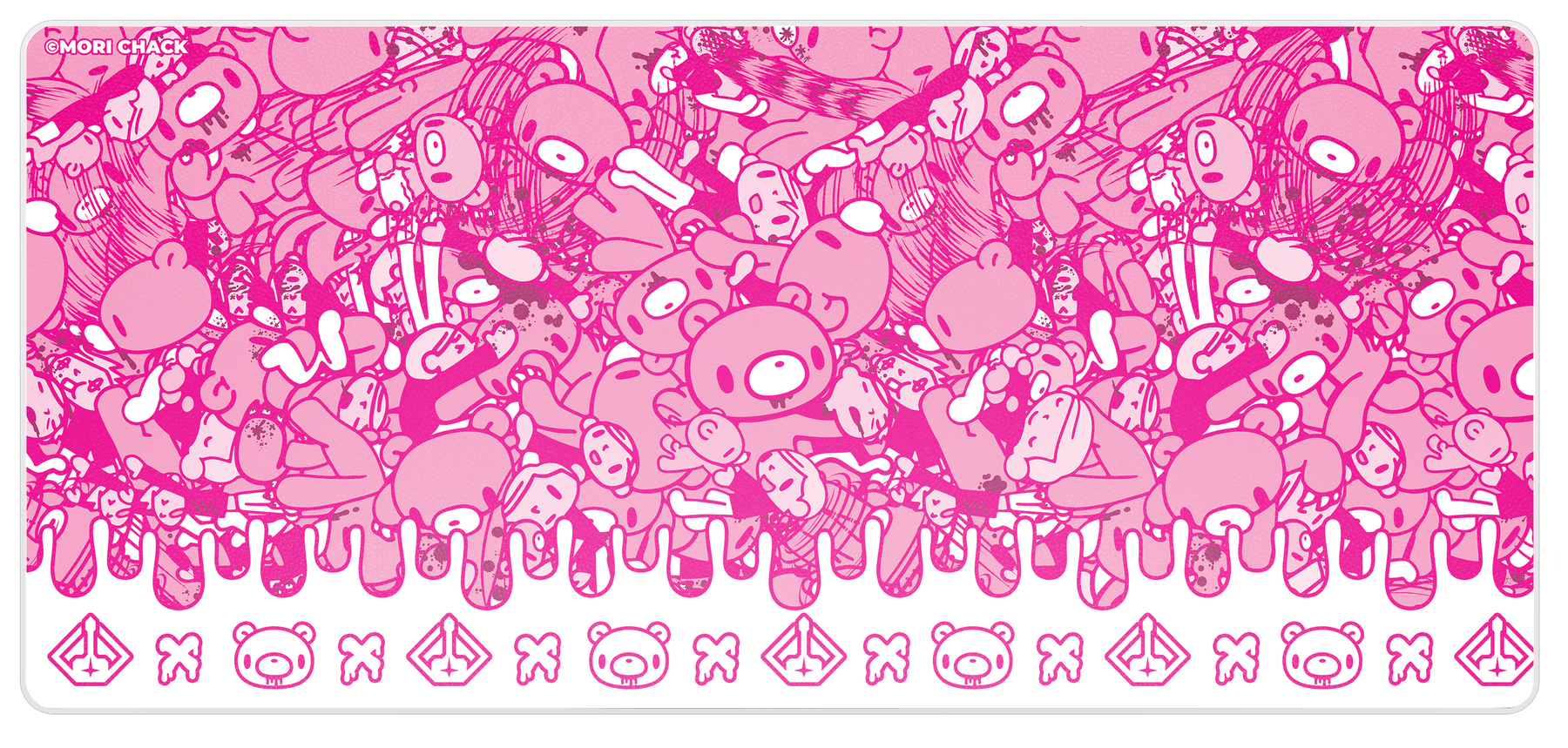
Featuring artwork from our favorite IPs and artists, our desk mats are a perfect compliment to existing art, or a phenomenal foundation to start your own gaming room's aesthetic. Excellent as a cover for your desk or as an extra-large mousepad. 900x400mm

Our promise

We've Got You Covered

30

30 Day Free Returns

If it's not the PC of your dreams, we'll pay to have it sent back to us

2

2 Year Warranty

We're proud to offer lifetime support to pair with our 2 year parts and labor warranty.

From the gaming community

Starforge offers a rare build quality in a pre-built PC, quality cooling, and much more recognisable brand names on your components.
Jacob Ridley / PC Gamer
If you're looking for a gaming rig but don't want the stress of building one yourself, this is the only stop you need.
Anthony Karcz / Forbes
I have pretty much one of the most powerful gaming PCs money can buy.
Roland Moore-Colyer / Tom's Guide
It hits a sweet spot in terms of price and performance.
Jacob Roach / Digital Trends
A worthwhile purchase if you want a rig that's going to perform and last.
Jason Parker / Sportskeeda
An excellently well-rounded system in the Horizon II Ultra.
Dylan Horetski / Dexerto
PC Gamer logo Forbes logo Tom's Guide logo Digital Trends logo Sportskeeda logo Dexerto logo

New to PCs? We’ll Help You Get Started

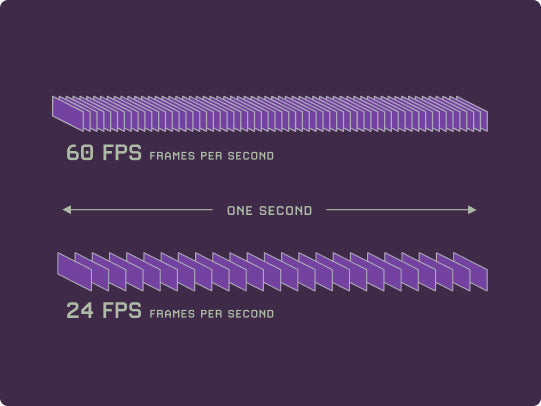
Frames per second (fps) refers to the number of images created by a computer in that second. Each of these require cooperation between the CPU and GPU to create object within the scene and then to color those objects.
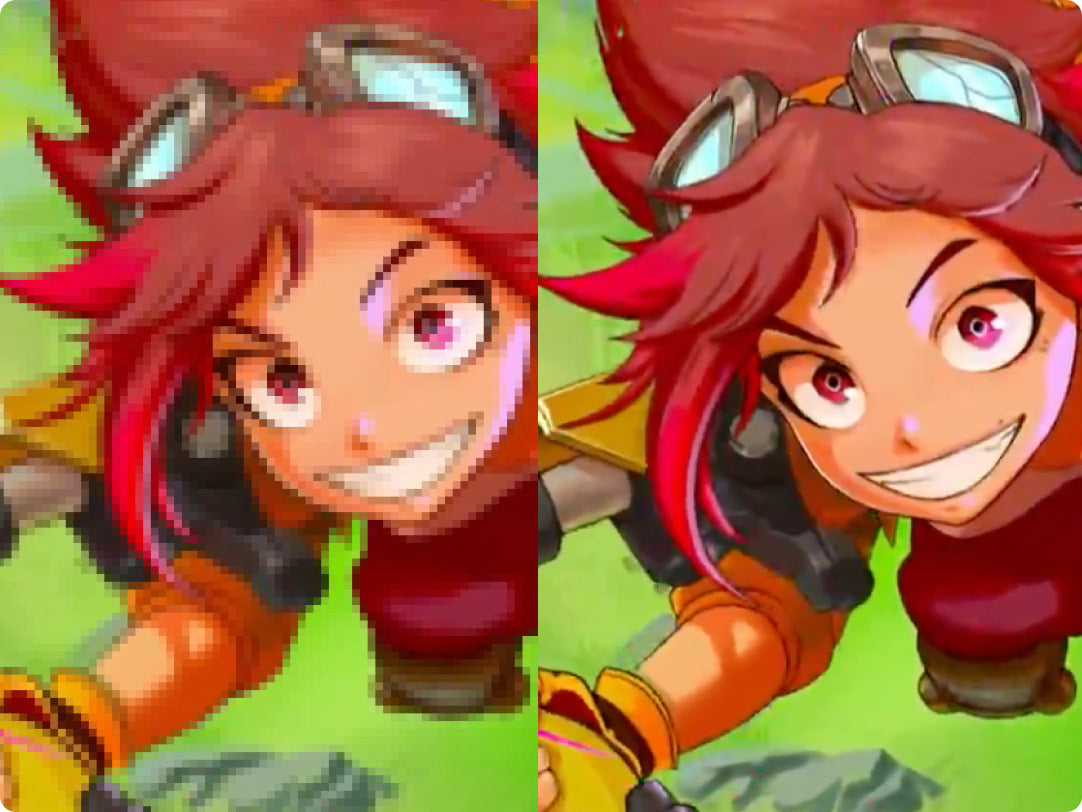
The Graphics Processing Unit (GPU) is a specialized component generally responsible for coloring and shading objects being displayed. Through various instruction sets, a GPU decides the color of each pixel every frame.

The Central Processing Unit (CPU) is the main brain of a computer. It runs all system operations In gaming: It calculates physics, decides what objects are “in-view” of the player and calculates the results of each input from the player.
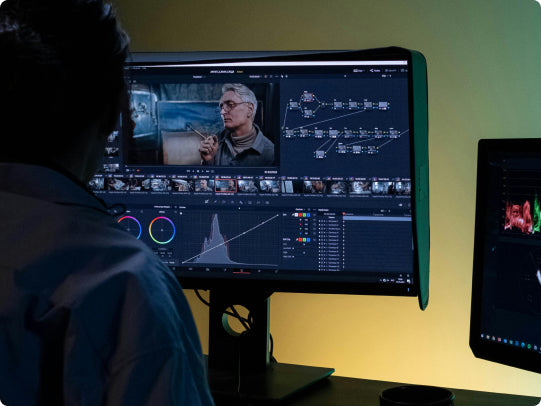
Not to be confused with system storage, Random Access Memory (RAM) assists the CPU by storing data and instructions actively being used by the processor. While it can be beneficial to gaming, more memory generally has the greatest impact on tasks much broader in scope than playing a game, like video editing.

SALE Buy 3 & get 20% off

Platelight Deal

Add 3 more for 20% off

20% off reached

0.00

 Swappable Platelight Acrylics

Pink Sunrise

$39.99 USD

Sky on Fire

$39.99 USD

Petals

$39.99 USD
Cyber

$39.99 USD

Akina

$39.99 USD

Cat Girl

$39.99 USD

The Gloomy Bear Collection

$2,399.99 USD
FPS PERFORMANCE
Selected PC

$2,399.99 USD
FPS PERFORMANCE

We're here to help

Frequently Asked Questions

View All

Starforge is proud to offer our gaming PCs to the USA, Canada, EU member countries, Australia, New Zealand, the UK and Norway.

Our team of Customer Care agents are here to help! If something goes wrong with your system, visit our contact page and reach out with any issues you may have. Our team will offer solutions as well as find a time that works around your schedule for a Technical Support call.

Thank you for purchasing from Starforge! Please follow these steps if you are unsure of how to go from an open box to gaming on your new computer.

Step 1: Carefully remove internal packaging from your gaming PC. Occasionally the packaging will cling to various internal connectors. If that is the case in your gaming PC, slowly pull on the packaging while gently holding connectors in place. These foam Instapak are conformed to match your computer’s internal components and come standard in every Starforge Systems gaming PC. Store ALL of your PC’s packaging for return/RMA purposes. If you do not retain these packing supplies, and need to return ship your gaming PC for any reason, please contact our customer care team. Starforge Systems will make packaging materials available.

Step 2: Check for any damage that may have been done to your computer during shipping. Each gaming PC is tested and given stringent quality control before being carefully prepared for its journey to its final destination. The vast majority of gaming PCs will not have any defects even after time spent with third party couriers. However, shipping can occasionally cause components to shift, detach or even become damaged. If you notice any internal or external issues, please contact our customer care team.In the event of broken glass panels, please do not attempt to handle or remove any glass shards from the surface of your computer, internal components or the shipping box itself without protective clothing.

Step 3: Connect desired peripherals to your Input / Output ports, ensuring that any display devices are plugged into your graphics card. These ports are oriented horizontally midway down the back of your computer’s case, and plug into your gaming PC’s Graphics Card. There are vertical ports towards the top of your gaming PC among USB and other Input / Output ports. These will connect to your Central Processor through your motherboard, which is not designed for high performance gameplay. Using these ports may result in severely hampered gaming experience, or in many cases, no display at all.

Step 4: Plug your computer in via the supplied power cable. Other appliances or computers may have similar power cables. While these cables are generally interchangeable, Starforge Systems suggests using the supplied power cable for your gaming PC. Be sure that the power switch is in the ‘I’ position. Your gaming PC will not power on if the power switch on your PC’s power supply is set to ‘O’. This switch can be found at the bottom of your gaming PC tower, generally next to where the computer plugs into the wall.

Step 5: You’re ready to power on your computer! Starforge Systems tests every computer that leaves its facility as a fully integrated product. Your gaming PC has been benchmarked, quality controlled and carefully packed before being shipped to you. Once on, you should find an activated installation of Windows with all your gaming PC’s drivers for stock components, RGB software and XMP enabled. Get ready to game on the best gaming PC in the universe.

For more information, see our product guides.

Estimated lead time can be found during checkout, before you pay. As there are different shipping options to choose from, and different systems may have slightly different lead times, the best place to get an estimate is once you've created an account and add the system that's right for you to the cart!Once the gaming PC ships from our center the time to receive your order is in the hands of the shipping company. You will receive a tracking number when the shipping box’s label is printed. We encourage you to use this number to track the status of your order as it leaves our warehouses.